Setting the
Foundations.
Designing an early-stage start up from zero the same way I design a product: in the small moments that compound.
- Challenge
- A civic housing data tool had strong underlying data but no design system, no validated understanding of its users, and no visual language credible enough to support fundraising.
- My Role
- Lead product designer from discovery through execution. I owned user research, information architecture, the full design system, the Figma component library, and the Lovable prototype.
- Team Structure
- Lead Product Designer (me), Engineer, Product Manager
- Impact
- A complete design system, working prototype, and launched feature updates - used to support fundraising conversations for the OpenRent Initiative to expand to new locations.
Overview
OpenRent had strong data and a clear mission, but its interface wasn't meeting users where
they were. I started with research to understand who was actually using the product and
what they needed, then rebuilt the UI from the ground up — designing a component library,
improving search and filter interactions, and introducing new features like map
breadcrumbs, scannable hover cards, a detailed information panel, and a comparison panel
as a future-facing primitive. The result gave the team a built product they could show
investors with confidence.
The problem
The product had been built screen by
screen. Nothing was reused, so nothing
was consistent: three shades of grey
for the same label, four spacing values
inside one panel, a coral that meant
“our brand” on the header and “rent is
rising” on the map.
When every element is bespoke, a user
cannot learn the interface once and
apply it. A system that cannot be
learned cannot be trusted with housing
data that people make decisions on.
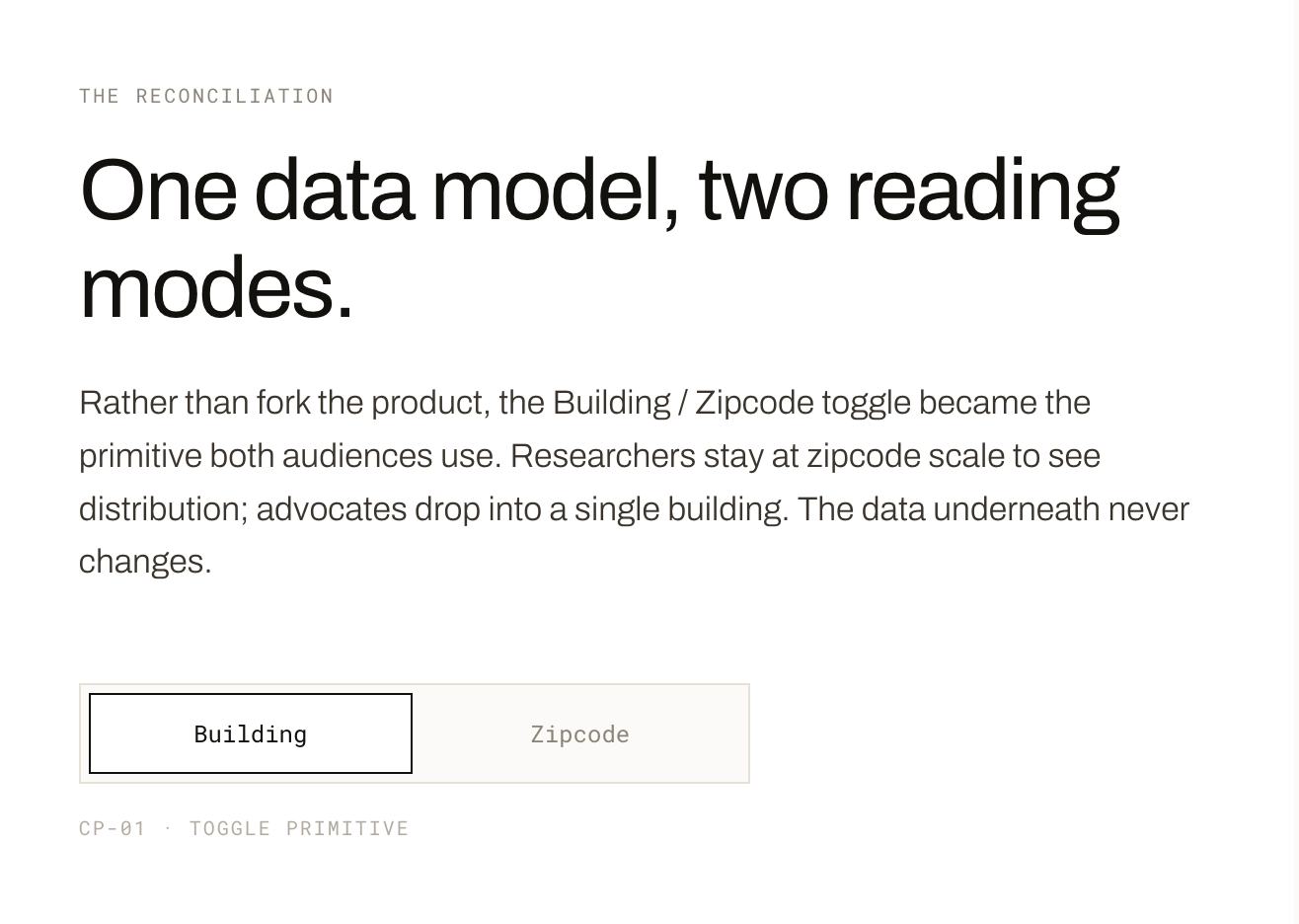
HMW make spatial data legible
to non-technical advocates while
preserving what researchers
need to trust it?
User exploration
The first assumption I tested was whether
researchers and advocates needed different
products. They actually needed the same data
but framed two different ways.
I conducted user interviews to surface what
each group actually needed in practice. The
finding that changed everything: researchers
and advocates didn't disagree about the data,
they disagreed about the framing and context.
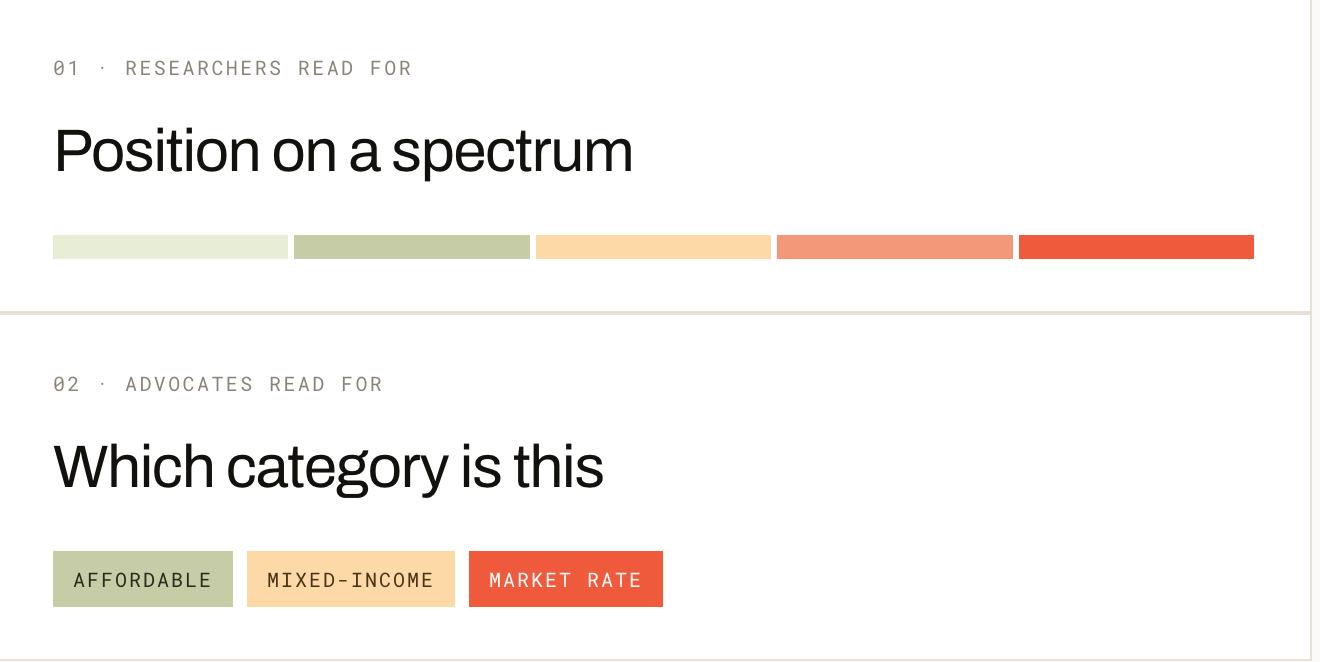
Researchers wanted comparable data - where
does this neighborhood sit on the full spectrum
and how does this building compare to the
neighborhood? Advocates wanted categorical
clarity - is this affordable, mixed-income, or
market rate? They wanted to be able to drill
down into the details of each property. I was
able to navigate this through information
hierarchy across unit hover cards, detail
panels, and a comparison panel being
intentional about the product real-estate in a
way to future proof the design.
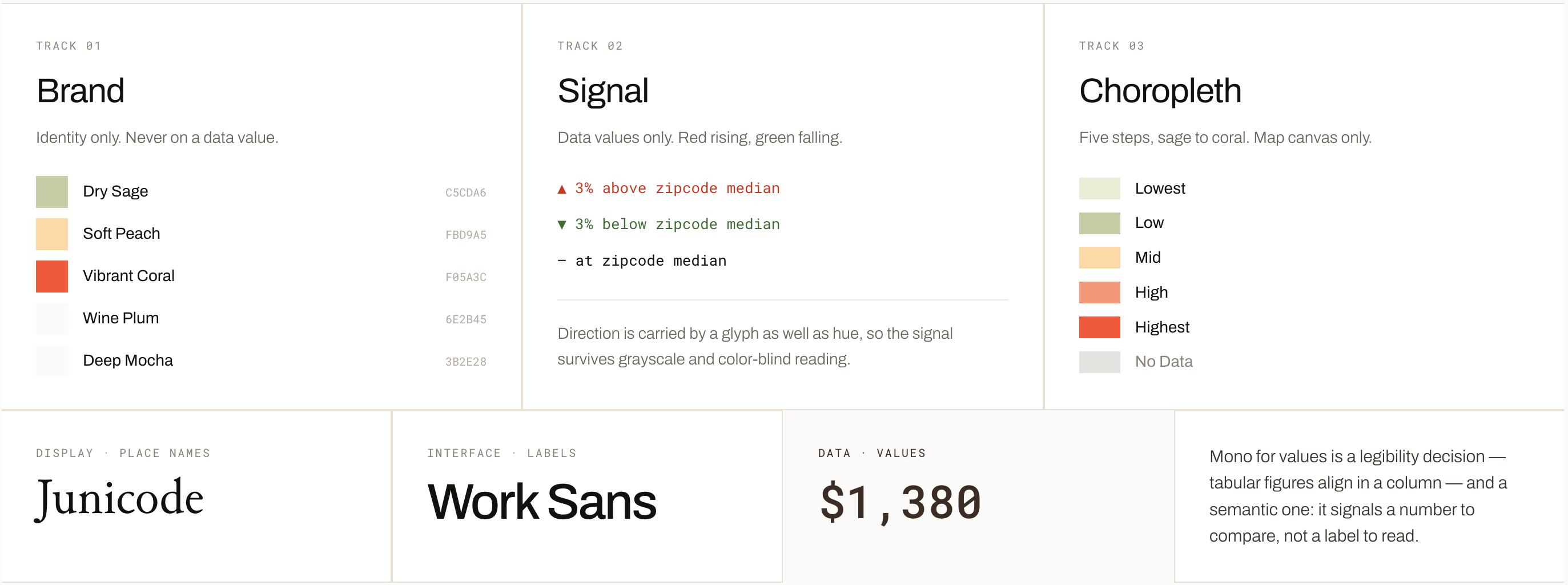
Tokens and styles
Primitives
Built from the smallest unit outward. When a primitive changes, everything using it updates — a
single correction to the label color fixed every panel at once.
Components
Every element below is the live component, not a screenshot. Search, filters, tabs, and the
comparison bar are interactive.
The final design
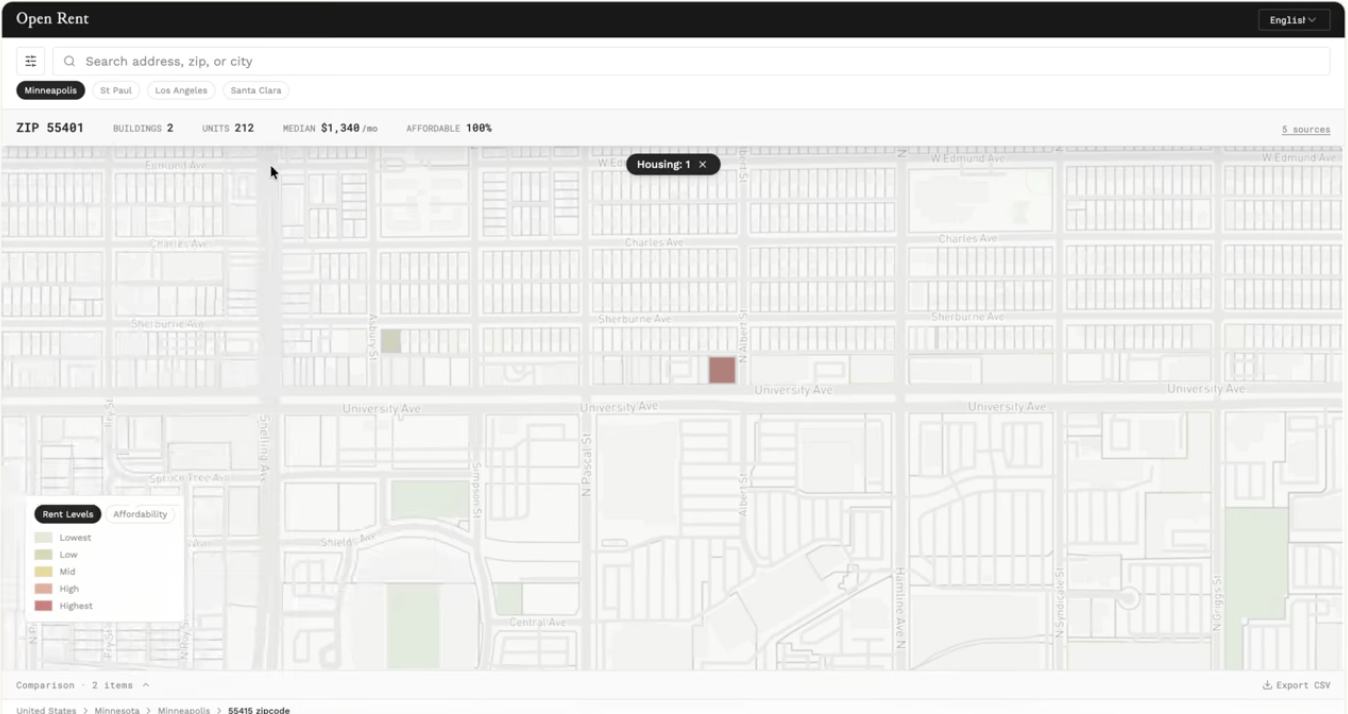
Hover cards surface the most
scannable facts about a property or
neighborhood - name, rent figure,
burden signal, and affordability
category - on hover. Researchers
scanning twelve buildings across a
neighborhood don't have to open a
panel to triage; they can read the
relevant data inline and move on.
The filter panel controls the map
without leaving it. It was one of the
decisions that looked small and had
layout-wide consequences.
Filter panels are workflow decisions, not aesthetic ones. The right width determines whether a user can
actually navigate the data or is fighting the UI to do it. The right data levels allow each user to navigate
the data quickly and effectively. Filters became the make it or break it for the whole experience.
These features launched first with the detail panel launching next and the comparison panel soon to
come. The order was important to be able to first clearly navigate the data, then validate the information,
and finally aleviate cognitive load through visual analysis.
Outcomes
Shipped
The prototype shipped to production
1
Design system with type and color styles
8 + 12
Primitives and components in one library